Skip to content

Recent Posts

  • How to Pass your Comprehensive Exams
  • Glossary of Common Academic Acronyms and Jargon (Canada & U.S.)
  • Five Online Tools for Doing Social Research
  • Writing Prompts to Overcome Writer’s Block
  • Please stop starting letters like this…

Most Used Categories

  • Publishing (4)
  • Writing (8)
  • Design (6)
  • Methods (18)
    • Software (11)
      • STATA (1)
      • SPSS (10)
    • Statistics (6)
    • Qualitative (1)
  • General Advice (5)
Skip to content

Practical Advice for Research, Writing, and Academia’s Hidden Curriculum

Subscribe
  • General Advice
  • Writing
  • Methods
    • Qualitative
    • Quantitative
  • Software
    • SPSS
    • STATA
  • Publishing
  • Podcast
  • Home
  • Methods
  • Software
  • SPSS
  • Recoding Variables in SPSS

Recoding Variables in SPSS

Phyllis L. F. RippeySeptember 24, 2019September 21, 2021

After you’ve opened your data in SPSS and explored your data, you will likely want to recode some or all of your variables. Perhaps you want to change marital status so that married people and those in common-law relationships are counted as the same. Follow the steps below to see how to do this.
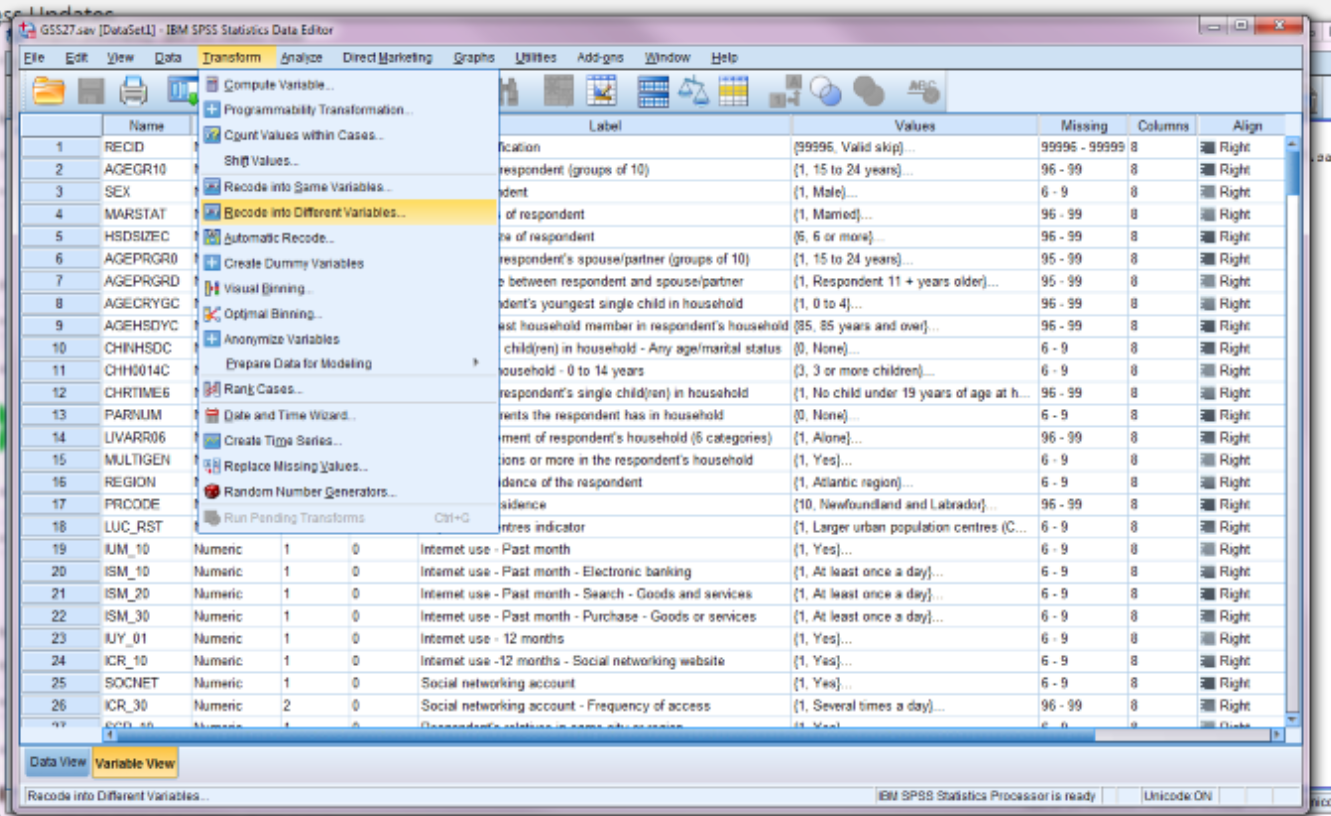
Step 1. Transform –> Recode into Different variables
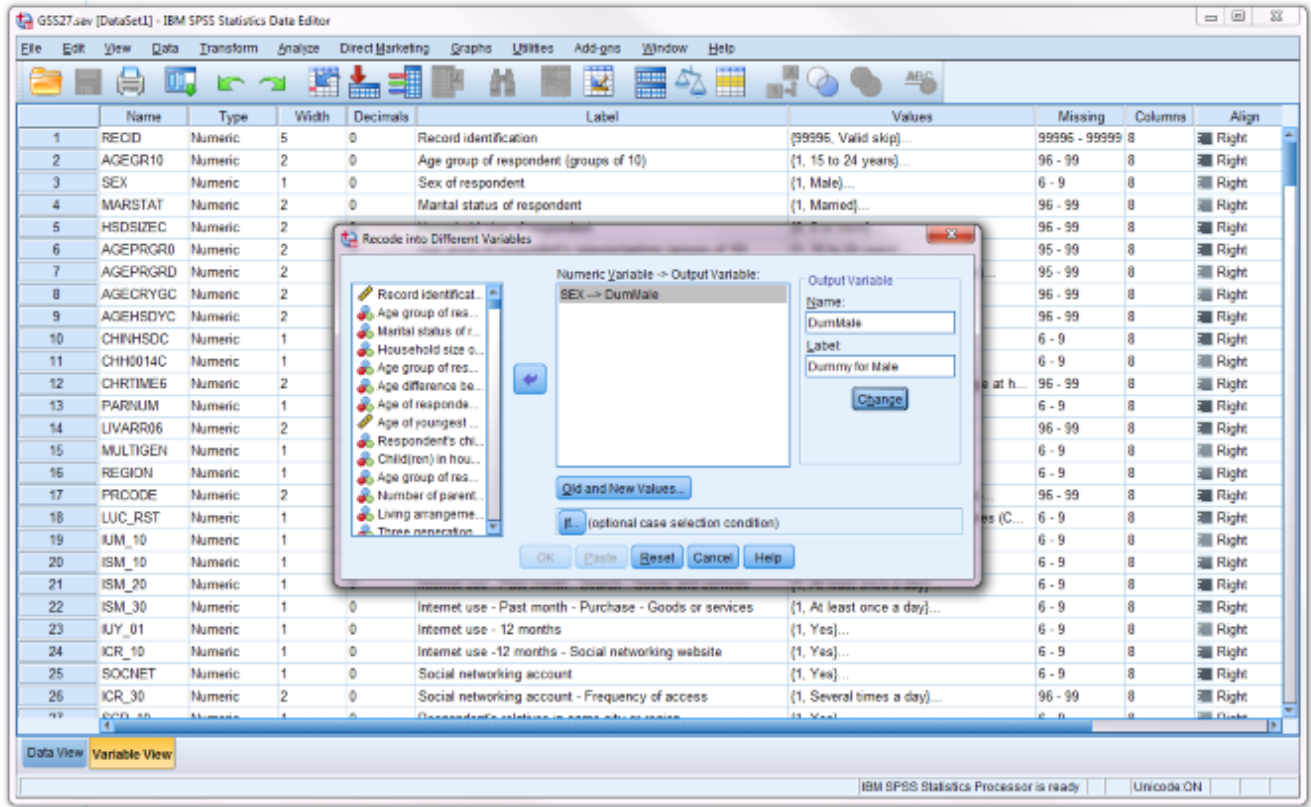
Step 2. (a) move variable to recode from left to middle box
(b) give name and lable for new variable (make sure to click change)
(c) click old and new values
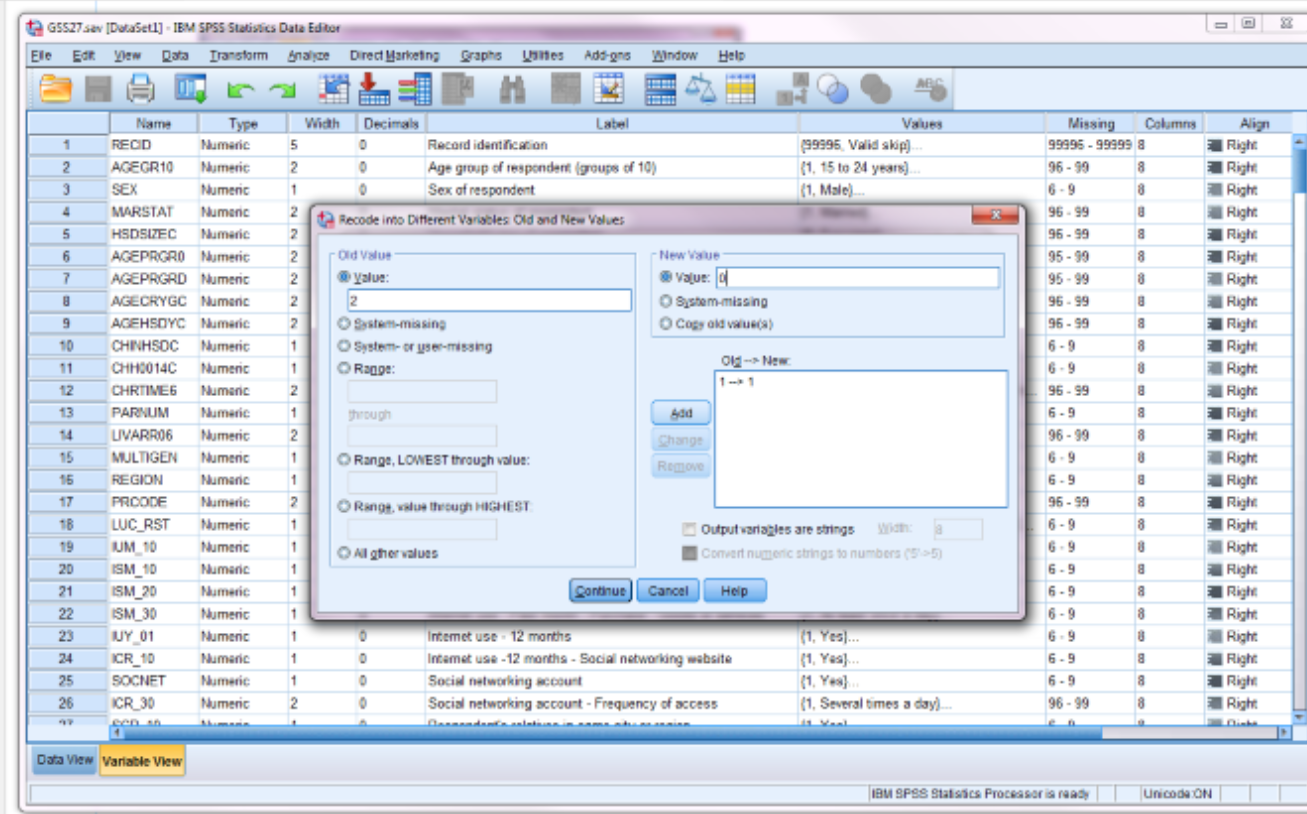
Step 3. In old and new values,
(a) indicate original values in upper box on left
(b) give a new value you want to give your new variable in upper box on right
(c) click add
(d) repeat for all values
(e) click continue (then ok on next box)
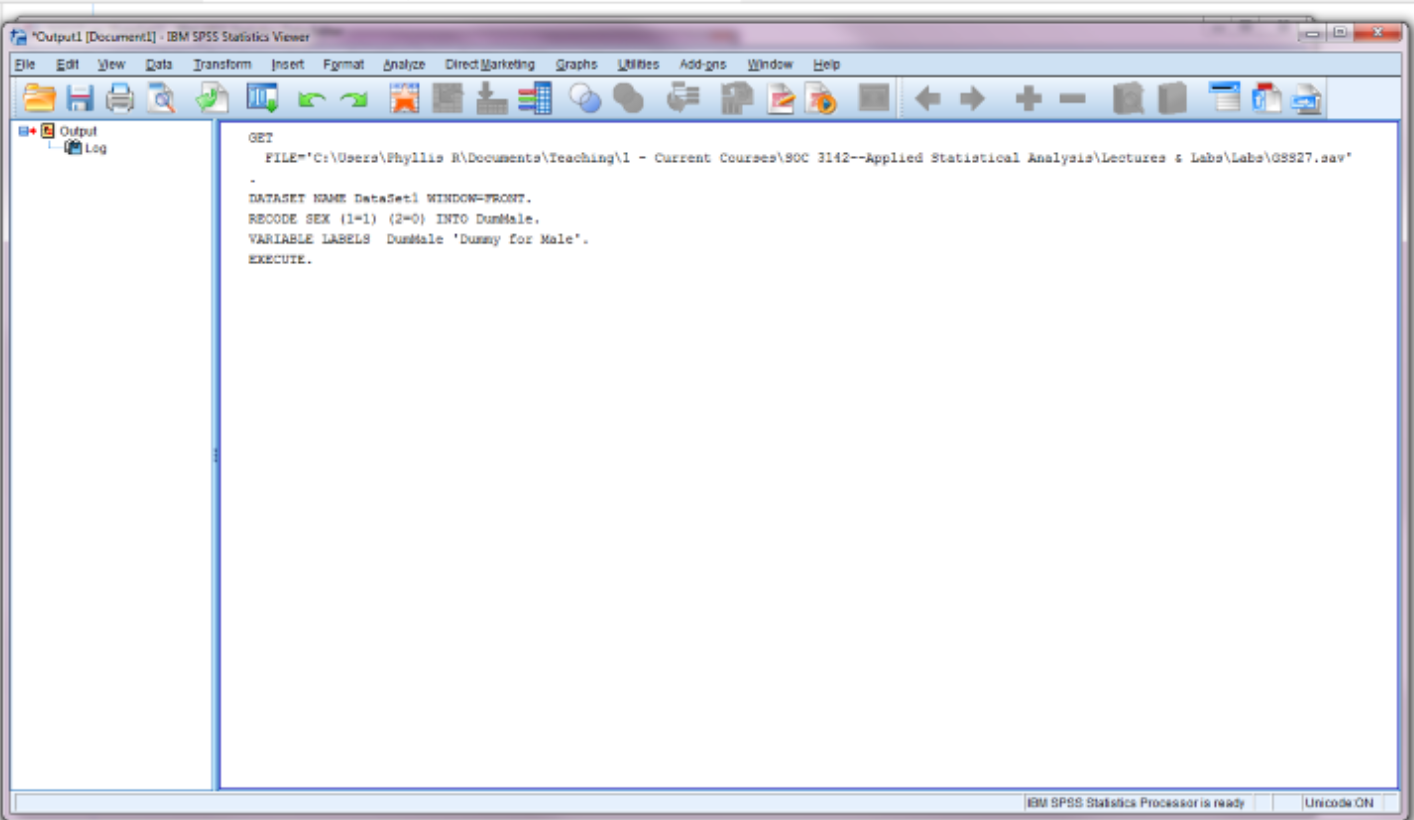
Note that the only output you’ll get is the syntax associated with the recode. To check your work, run a cross-tab as follows.
To run a cross-tab to check your work:
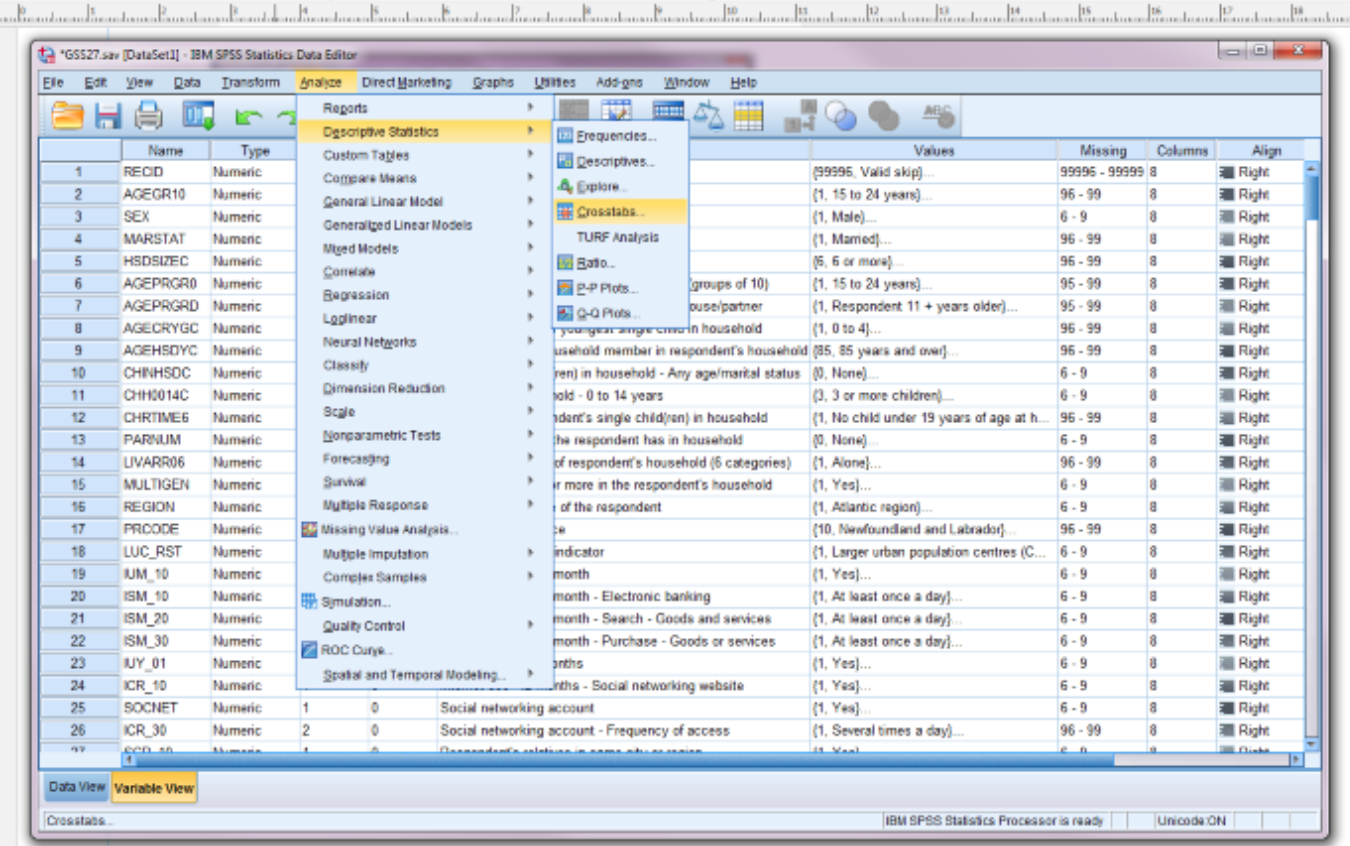
Step 1. Analyze –> descriptive statistics –> crosstabs
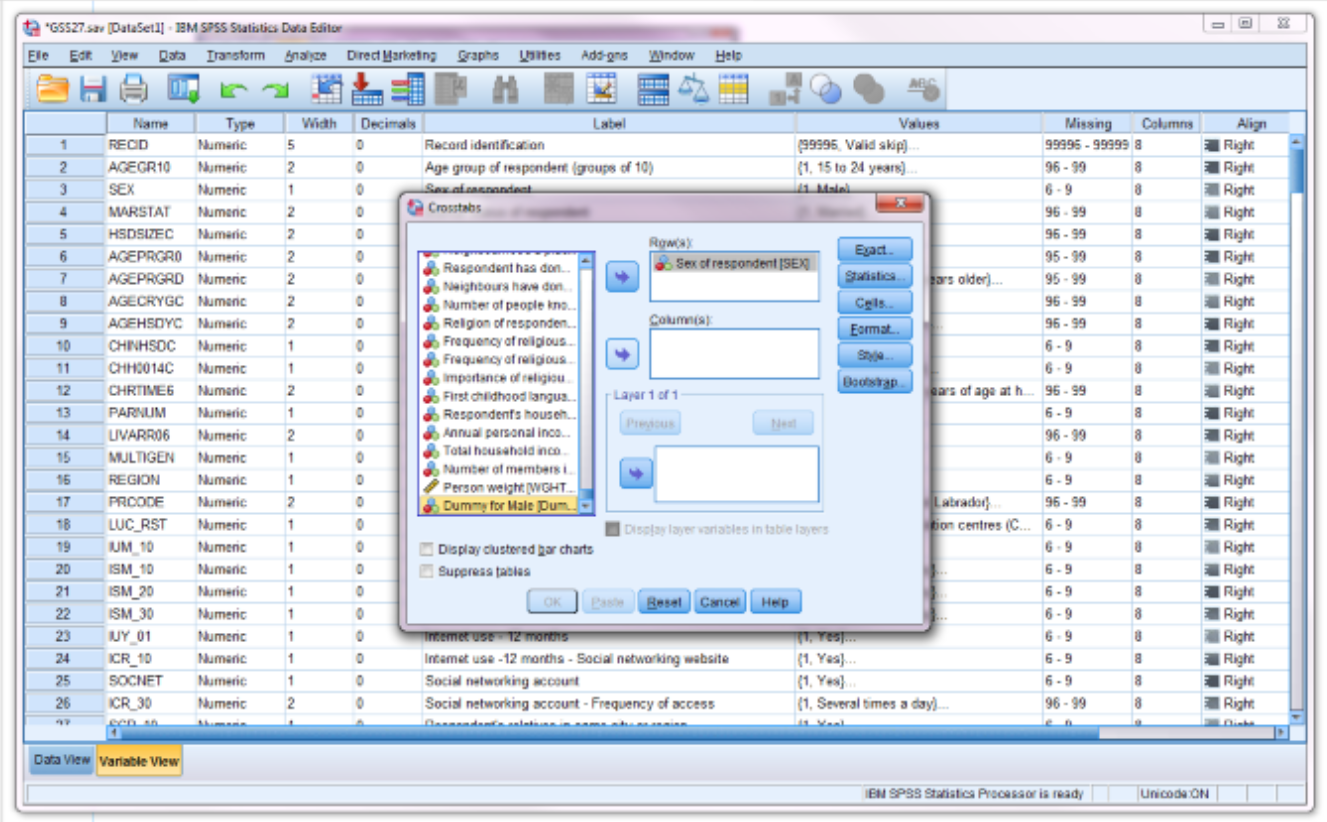
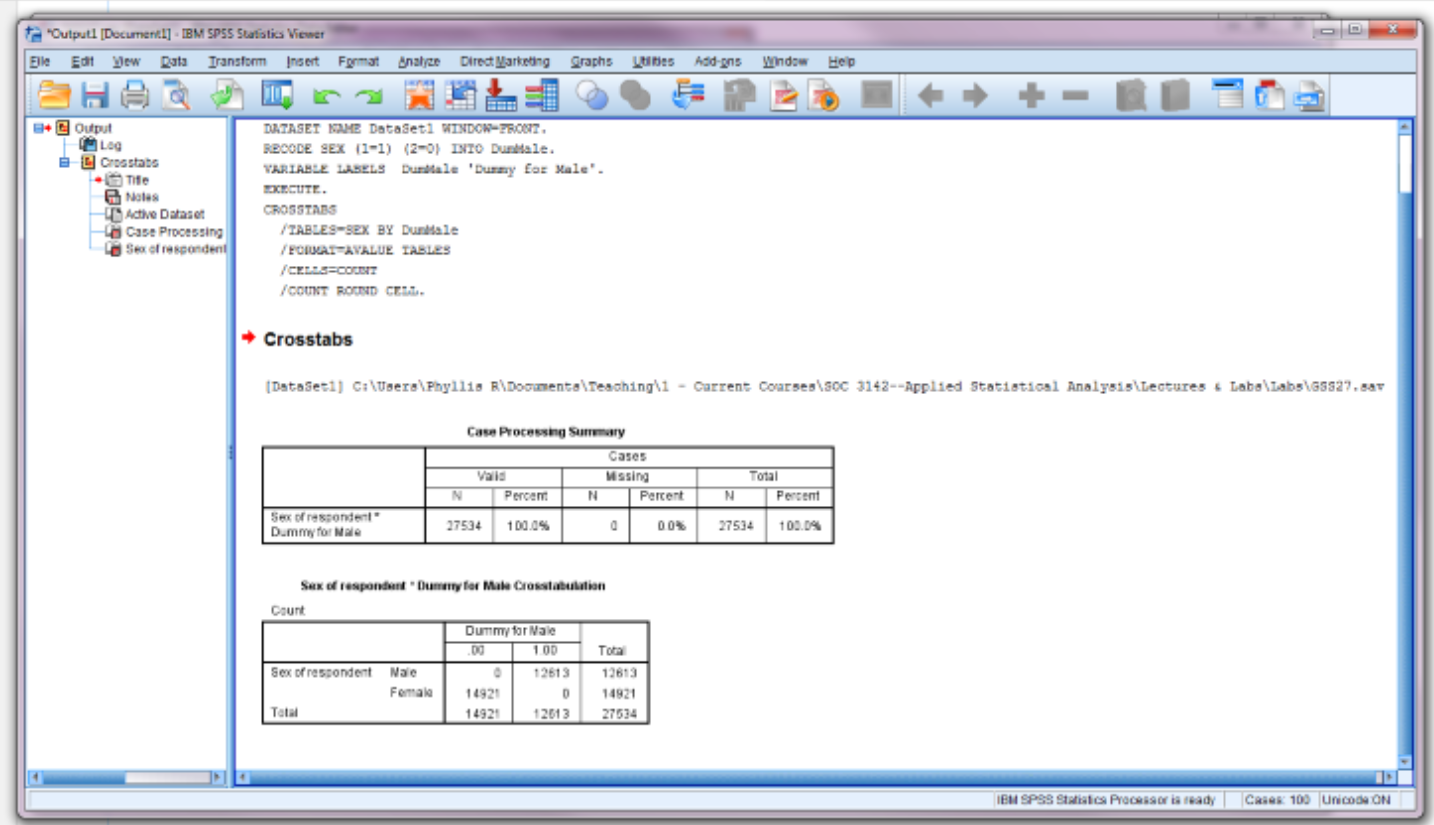
Step 2. Move original variable into row and new variable into columns (your new variable will be all the way at the bottom of the list of variables) –> click OK
Step 3. Check your output to make sure you coded your variable as you intended.

Post navigation

Previous: Splitting Data by a Variable
Next: Exploring Data in SPSS

Related Posts

Pros & Cons of SPSS

September 24, 2019September 21, 2021 Phyllis L. F. Rippey

Opening Data in SPSS

September 21, 2019September 21, 2021 Phyllis L. F. Rippey

Exploring Data in SPSS

September 21, 2019September 21, 2021 Phyllis L. F. Rippey
Copyright All Rights Reserved | Theme: BlockWP by Candid Themes.
We use cookies to ensure that we give you the best experience on our website. If you continue to use this site we will assume that you are happy with it.